
C-arm DR bundle
A flat-panel image for the C-arm room.
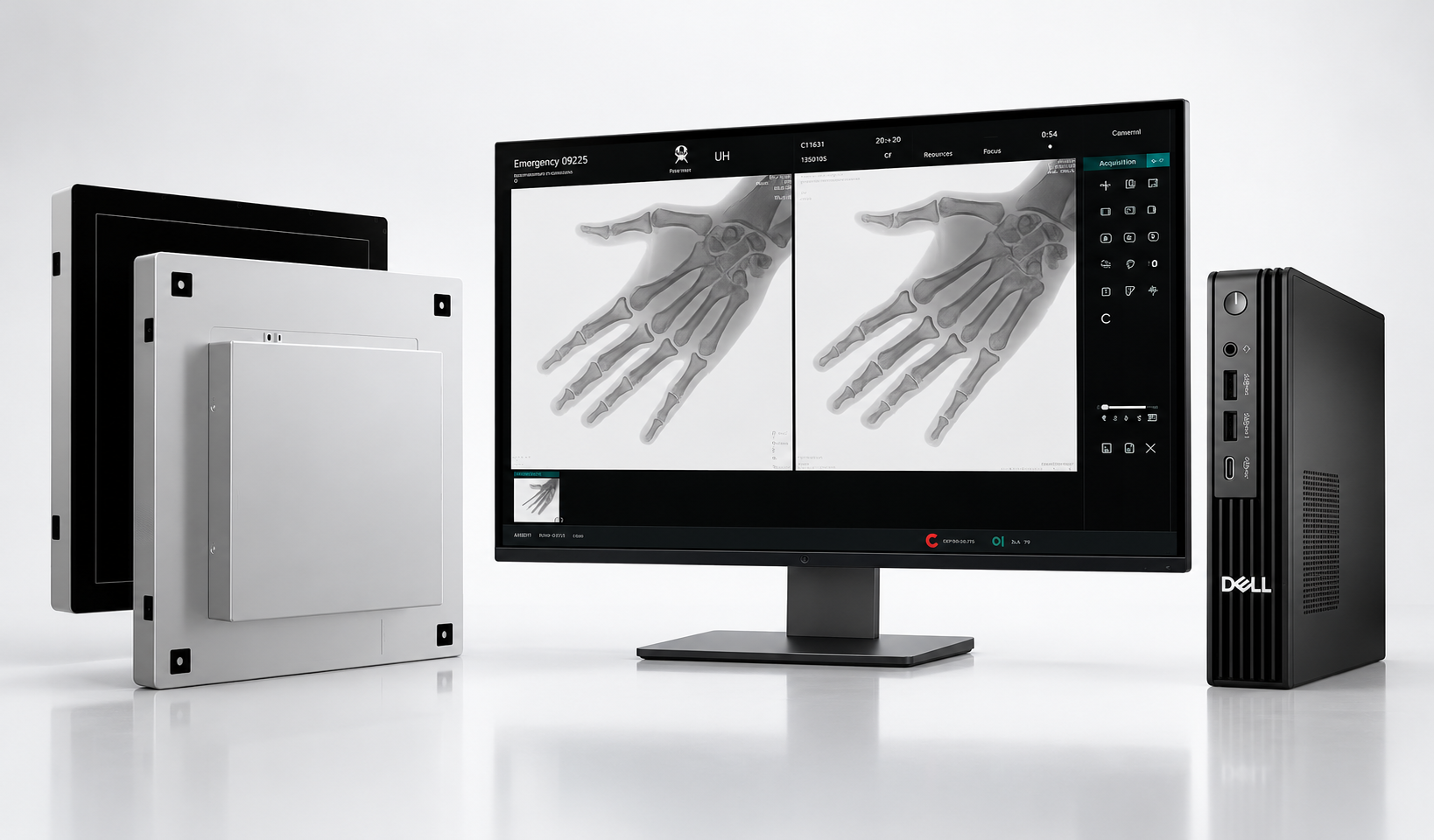
The EXPEED 2121P C-arm DR bundle is the detector, the workstation and the fluoro software a theatre uses to see the run live, hold the last frame, and send the study to PACS.
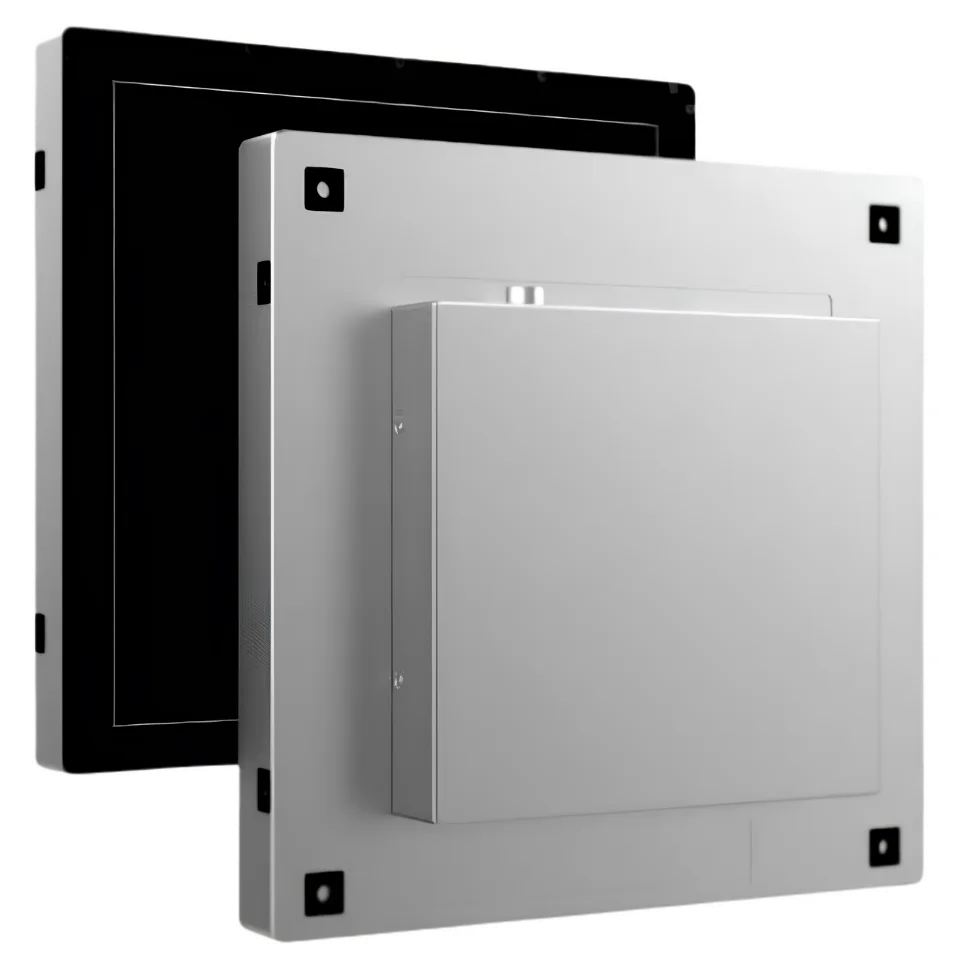
C-arm DR bundle
The EXPEED 2121P C-arm DR bundle is the detector, the workstation and the fluoro software a theatre uses to see the run live, hold the last frame, and send the study to PACS.
Three parts, so the image has a detector, a screen and a way into the archive.
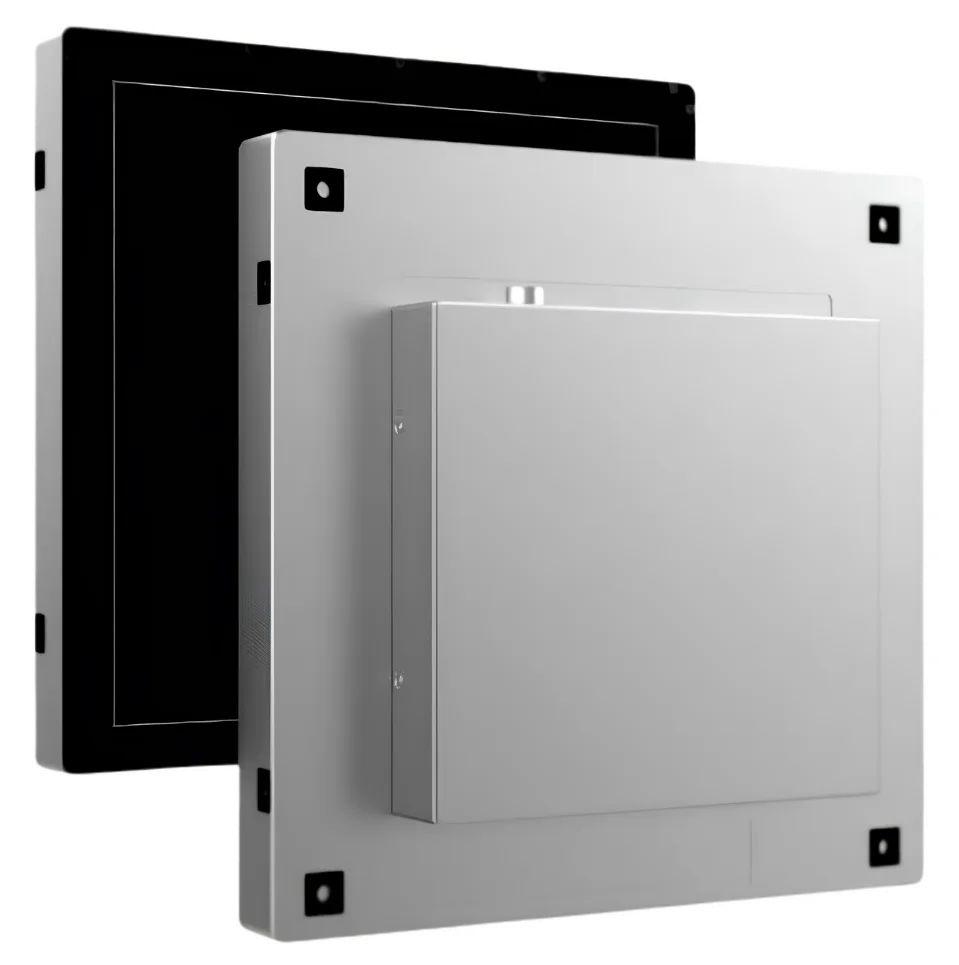
A square field the surgeon can watch. IGZO TFT and direct-deposition CsI, 1,504 × 1,504 pixels, 140 µm, 16-bit, 3.58 lp/mm. Full area runs at 20 fps. With 4×4 binning the sheet reaches 80 fps, set by the mode and the ROI.
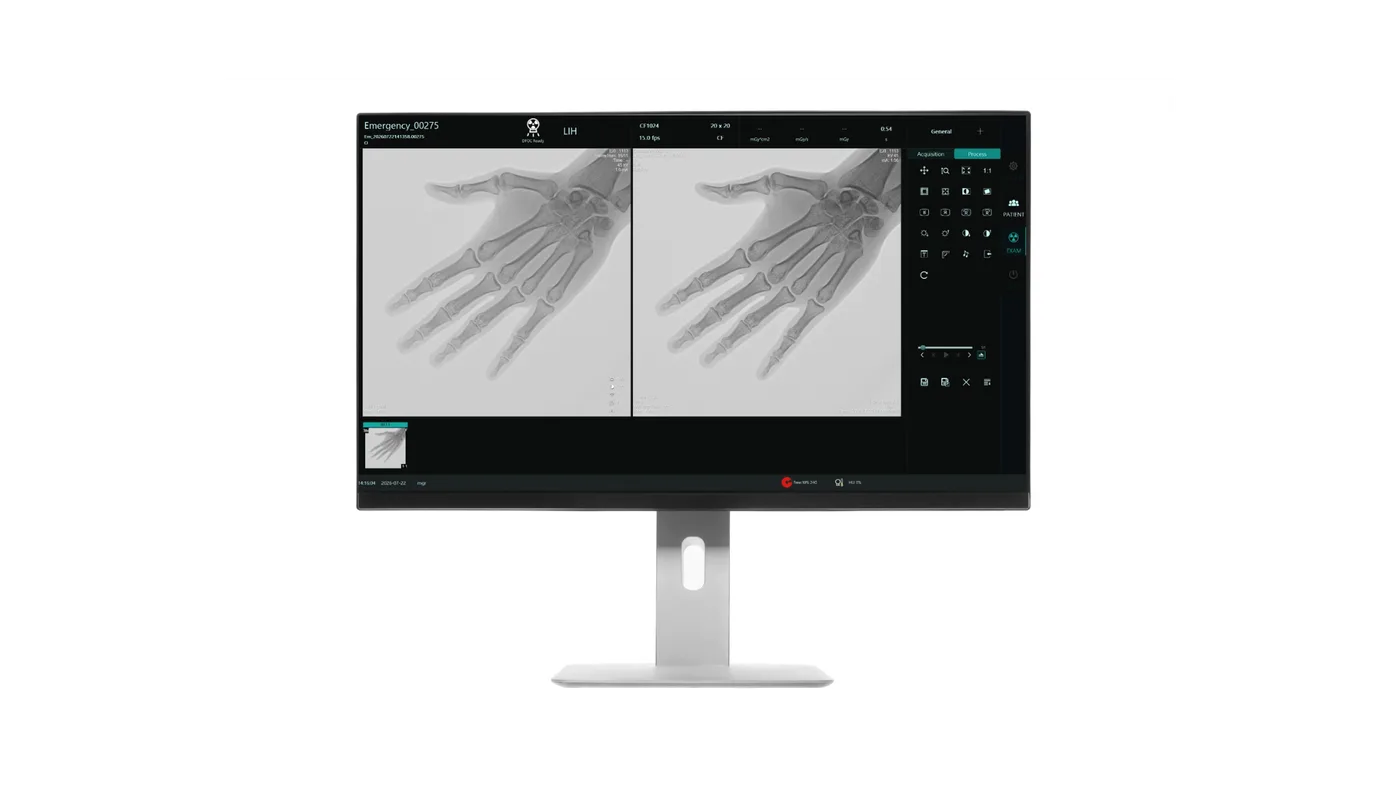
A workstation and two medical displays, so the surgeon sees the run on the screens in the room. Dedicated graphics are on the sheet.
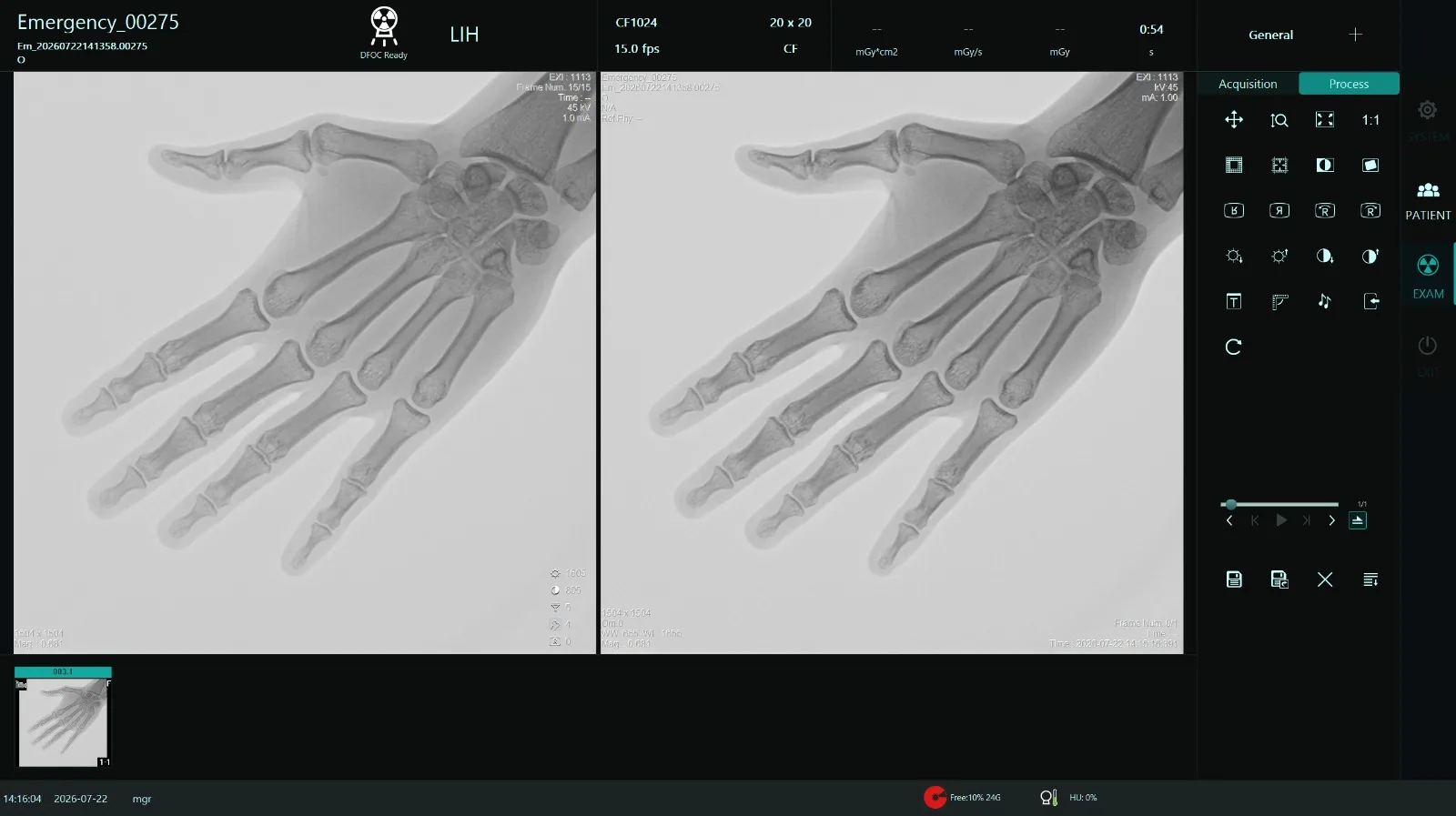
Last-image hold, cine, edge enhancement, noise reduction, measurement, annotation and rotation, then the study can leave the theatre.
Panacee fits the bundle for hospitals and clinics. After handover: warranty support, an AMC, remote help, and a visit when the room needs a person. The terms sit in the agreement for that product.
Authorised DRTECH distributor in India through Global Imaging. Tell us the C-arm make, model and configuration, and we confirm how the bundle fits.
A C-arm room gets a square digital field, a live image, and a study that can leave the theatre for PACS. Share the system you already have and we match the bundle to it.
A C-arm DR line your team can explain: the 2121P, the workstation and the software. Training and marketing material come with the partnership.
Dealer partnershipThe white-label system adds the generator, the tube and the C-arm mechanics. 3.5 kW is published here.
White-label C-arm| Live fluoroscopy | The run is on the display while the exposure is happening. |
|---|---|
| Last-image hold | The last frame stays up when fluoro stops, so the room can review that view. |
| Cine loop | Play the run back on the workstation. |
| Patient database | The run is kept against the patient. |
| Image enhancement | The published control for the look of the displayed image. The method is the software that comes with the equipment. |
| Window / level | Brightness and contrast of the frame on screen. |
| Zoom | Look closer at the frame that is already acquired. |
| Pan | Move around the frame that is already on screen. |
| Edge enhancement | Sharpen the edges of the frame on the display. |
| Noise reduction | Quiet the grain in the displayed image. It is a control on the fluoro software, named on the 3.5 kW sheet. |
| Measurement | Measure on the image, on the workstation. |
| Annotation | Mark the image before it is exported. |
| Image rotation | Turn the frame on screen so it matches how the room is looking at it. |
| Image export | Take the image off the C-arm workstation. DICOM export and PACS connectivity are on the system sheet. |
Specifications
| Detector | DRTECH EXPEED 2121P |
|---|---|
| Technology | IGZO TFT |
| Scintillator | Direct-deposition CsI |
| Active area | 210 × 210 mm |
| Pixel matrix | 1,504 × 1,504 |
| Pixel pitch | 140 µm |
| A/D conversion | 16-bit |
| Dynamic range | 16-bit |
| Limiting resolution | 3.58 lp/mm |
| DQE | 70% at 0.5 lp/mm |
| MTF | 60% at 1 lp/mm |
| Detector energy range | 40–150 kVpThis is the detector range on the sheet. The 3.5 kW generator on the same sheet is specified to 110 kV. |
| Maximum frame rate | 20 fps at full area (1×1 binning)Up to 80 fps with 4×4 binning. Achievable frame rate depends on the binning mode and ROI configuration. |
| Workstation | Medical workstation |
|---|---|
| Displays | Dual medical displays, 1,280 × 1,024 or higher |
| Software | Digital fluoroscopy software |
| Connectivity | DICOM export · PACS connectivity |
| Operating system | Windows 10 or 11, 64-bit |
|---|---|
| Processor | Intel Core i5 or higher |
| Memory | 8 GB minimum |
| Storage | SSD recommended |
| Network | Gigabit Ethernet |
| Graphics | 2 GB dedicated |
| USB | USB 3.0 or higher |
Detector, workstation and software figures are from the published 3.5 kW C-arm sheet. Full area is 20 fps; 80 fps is the 4×4 binning rate, set by the mode and ROI. The detector energy range of 40–150 kVp is the detector figure. Panacee confirms the bundle for your C-arm.
The DRTECH EXPEED 2121P flat panel, a workstation with dual medical displays, and digital fluoroscopy software with DICOM export and PACS. Panacee installs it for hospitals and clinics.
This bundle is the digital imaging path: detector, workstation and fluoro software. The white-label C-arm is the complete system, including the generator, tube and C-arm mechanics, in 3.5 kW.
Full-area fluoroscopy is 20 fps at 1×1 binning. The sheet reaches 80 fps with 4×4 binning, set by the mode and the ROI.
Send the make, model and configuration. Panacee confirms how the bundle fits before you order.
Tell us about the C-arm and the room, and we confirm what the bundle includes for it.
Prefer to talk? Call +91 96509 00190 or WhatsApp.
Tell us the make, model and where the system is installed.