
Software
The screen that comes with the equipment.
Acquisition software comes with the package, and is named before anything ships. It is how the image gets from the detector to a person.
Where the software earns its place.
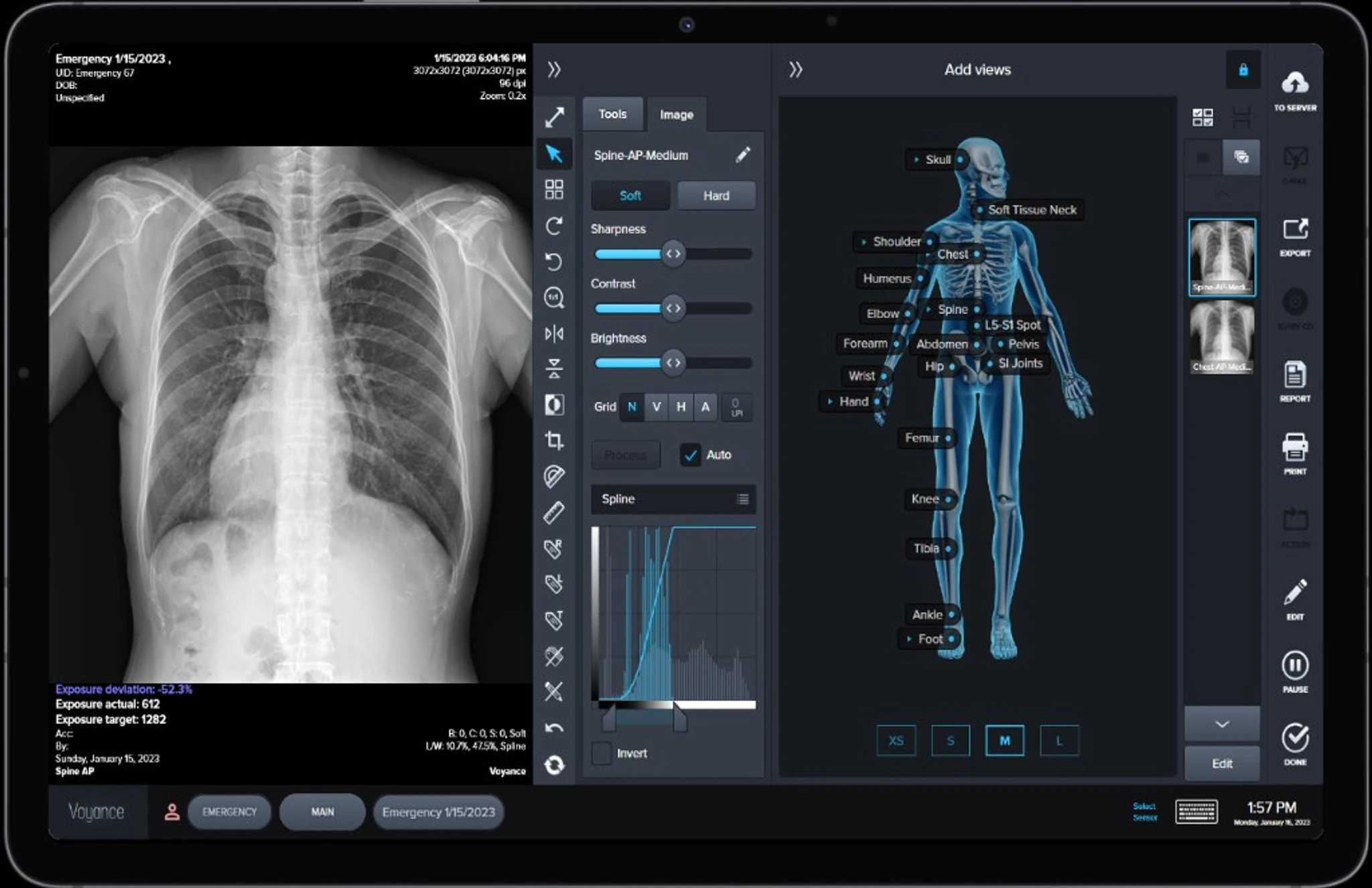
Workstation · acquisition software · VoyanceX
The screen for the EXPEED 3643N package, so the wireless panel has a place to send the image. VoyanceX is one option. Yours is chosen with the package.
3643N packageTalk about a detector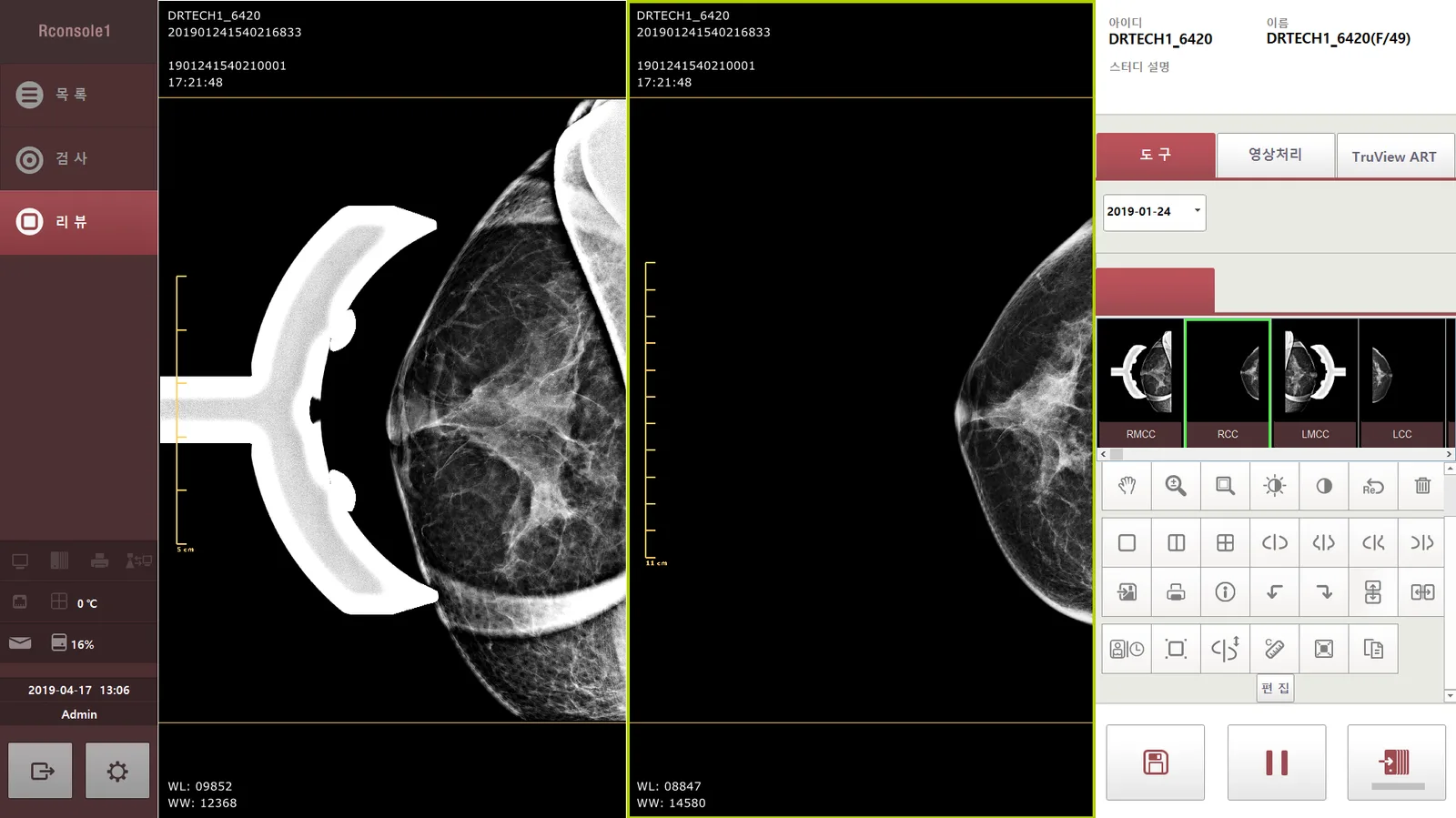
RCONSOLE1 · DICOM · PACS · RIS
RCONSOLE1 is DRTECH’s mammography acquisition software for the RoseM line, with image comparison and processing for that workflow. The package also covers the detector, workstation, installation and support that system needs.
Mammography retrofitCheck your system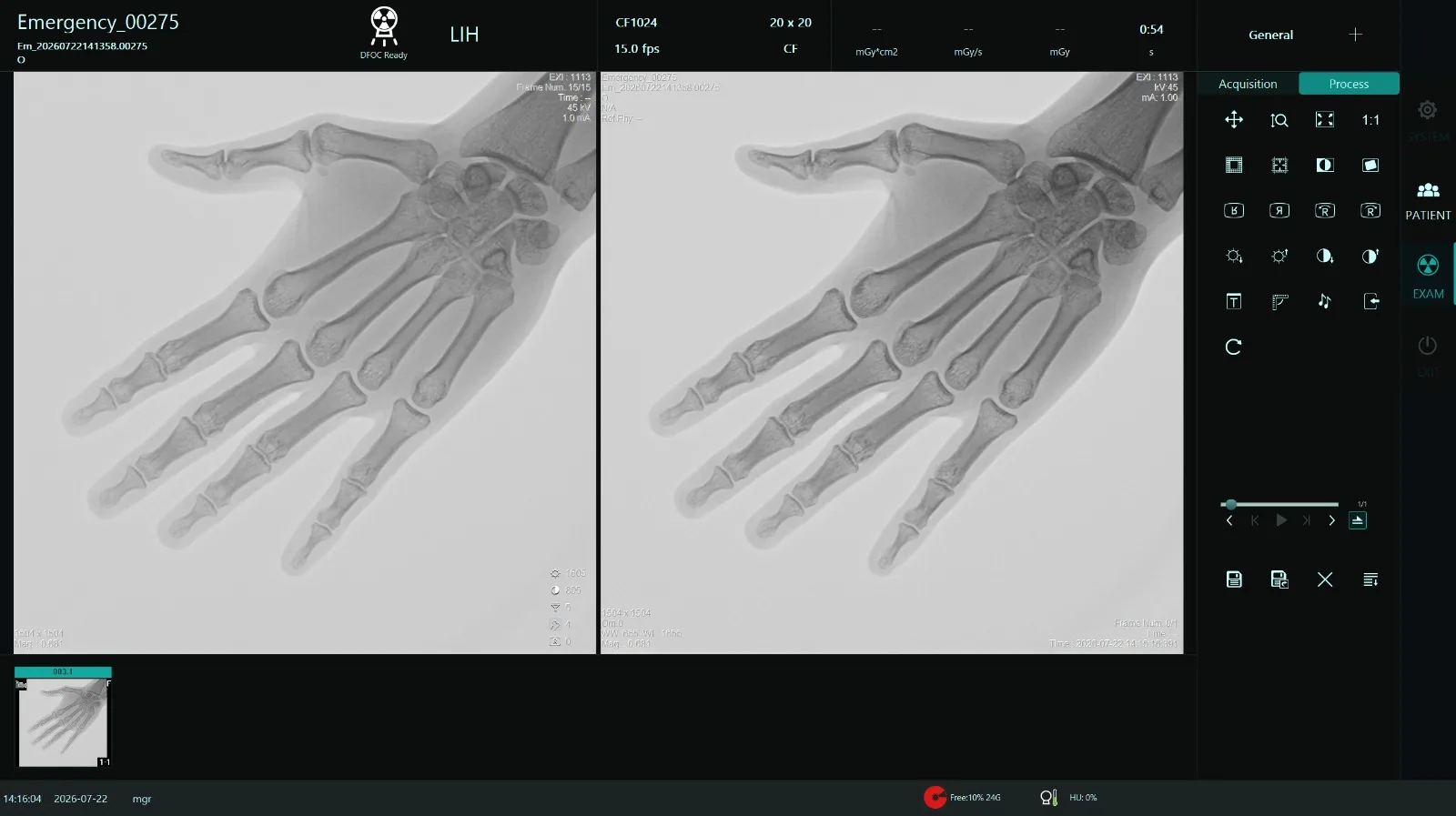
Live fluoro · last-image hold · cine · DICOM
The screen for the EXPEED 2121P C-arm DR bundle, then measurement and a path into PACS.
C-arm DR bundleTalk about the bundle
Software and Engineering, the other Panacee business:panaceesoftwaresolutions.com ↗
During fluoro.
These are the tools on the 3.5 kW sheet. VoyanceX is the acquisition option on a detector package.
| Live fluoroscopy | The run is on the display while the exposure is happening. |
|---|---|
| Last-image hold | The last frame stays up when fluoro stops, so the room can review that view. |
| Cine loop | Play the run back on the workstation. |
| Patient database | The run is kept against the patient. |
| Image enhancement | The published control for the look of the displayed image. The method is the software that comes with the equipment. |
| Window / level | Brightness and contrast of the frame on screen. |
| Zoom | Look closer at the frame that is already acquired. |
| Pan | Move around the frame that is already on screen. |
| Edge enhancement | Sharpen the edges of the frame on the display. |
| Noise reduction | Quiet the grain in the displayed image. It is a control on the fluoro software, named on the 3.5 kW sheet. |
| Measurement | Measure on the image, on the workstation. |
| Annotation | Mark the image before it is exported. |
| Image rotation | Turn the frame on screen so it matches how the room is looking at it. |
| Image export | Take the image off the C-arm workstation. DICOM export and PACS connectivity are on the system sheet. |
RCONSOLE1 for mammography.
DRTECH’s acquisition software for the RoseM line. These functions come from the RoseM brochure; what ships is confirmed for your package.
| TRUVIEW® ART | DRTECH image processing for mammography. It reverses light scatter to sharpen the image and help show micro-calcifications. The brochure quotes 30% more sharpness. |
|---|---|
| Current and past images | Compare today’s study with a prior one, with instant image recall. |
| 9 image styles | Choose the look of the image that suits the reader. |
| One-click layout | Change how the views are arranged on screen in a single click. |
| Large thumbnails | Check the quality of each view quickly before the next exposure. |
| DICOM · PACS · RIS | Send the study to the archive and the hospital information systems. |
| 12 languages | The interface is supported in 12 languages. |
| Worklist and studylist | Patients come from the worklist, and examined studies stay in the studylist to edit, export or send again. Manual entry and barcode or QR entry are both supported. |
| Projection list | The exam screen lists the views for the study, so the operator can see which projection is done and which is next. |
| Mammography markers and views | One-touch RCC, LCC, RMLO and LMLO markers, with 1×1, 2×1, 1×2 and 2×2 layouts, and side-by-side views for comparing left and right. |
| Implant processing | A processing option for studies with breast implants. |
| Image tools | Zoom, pan, rotate, window level, invert, length and angle measurement, and arrow, line, rectangle, ellipse and polygon annotations. |
| Time machine | Bring up earlier studies of the same patient from local storage and compare by date. |
| Worklist, MPPS and printing | DICOM modality worklist, MPPS, PACS send, and DICOM printing are configured from the same console. |
| Users and settings | Login with user accounts, and administrator-only settings for the institution, storage, network and detector. |
Acquisition option
VoyanceX for the detector package.
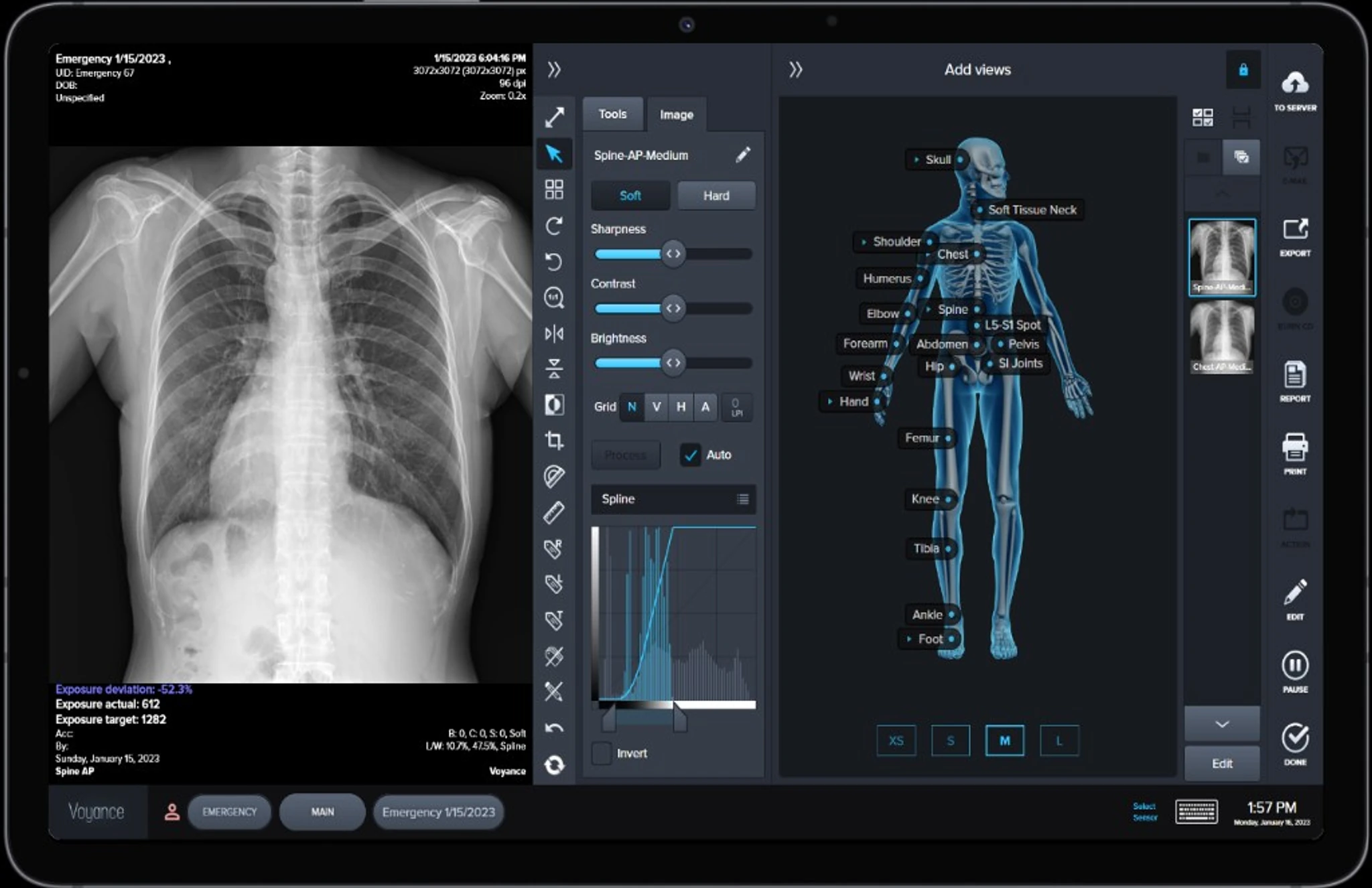
VoyanceX is acquisition software for digital radiography and fluoroscopy. Everything below is from the VoyanceX brochure and comes with that option.
Intelligent workflow
A single-page design that automates worklist import, image processing and PACS archiving. The brochure puts the gain at 1.5× technologist productivity.
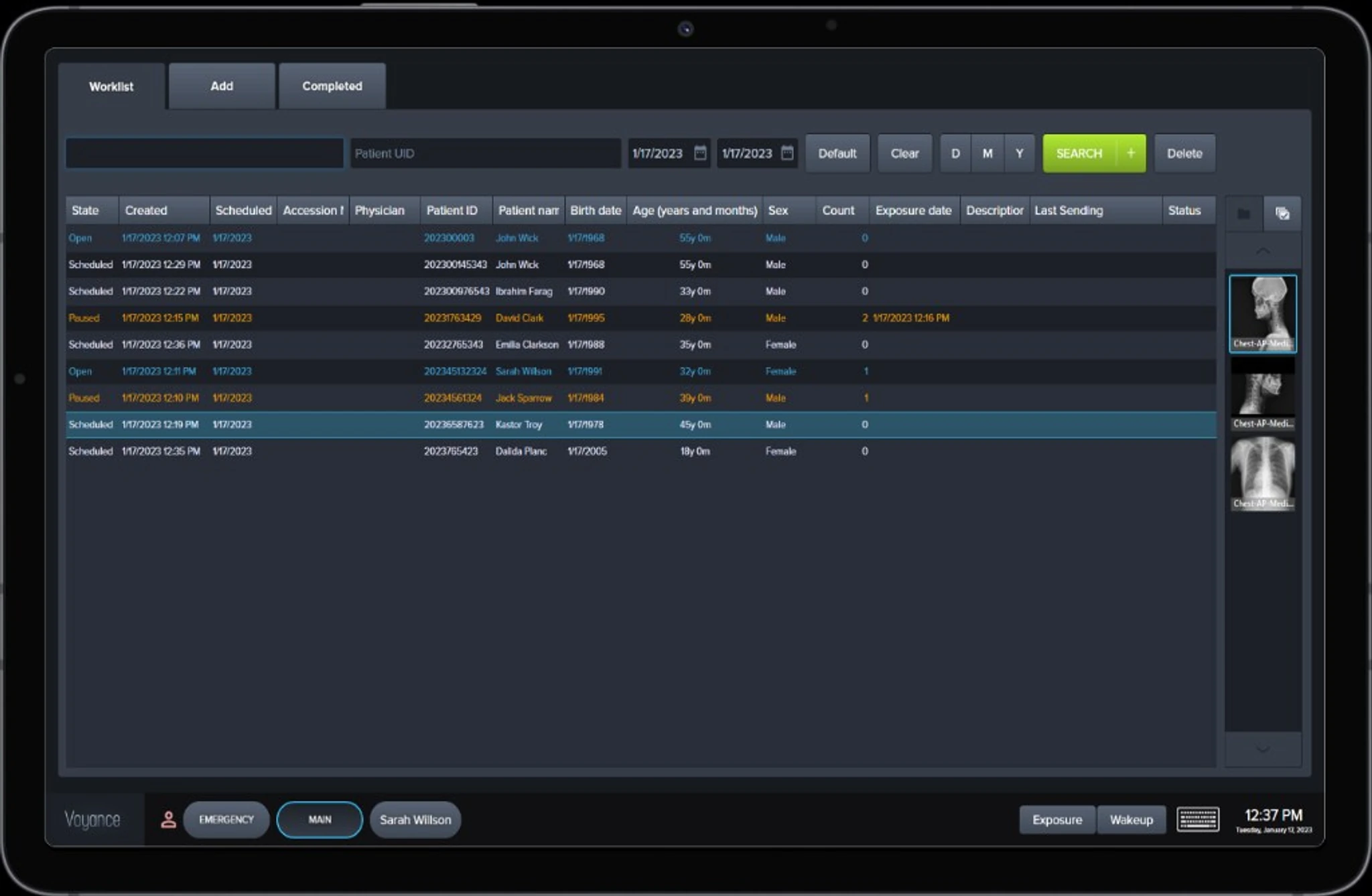
Image enhancement
Filters and contrast enhancement tailored to the selected protocol: contrast enhancement, smart noise cancellation, automatic cropping and grid-line suppression.
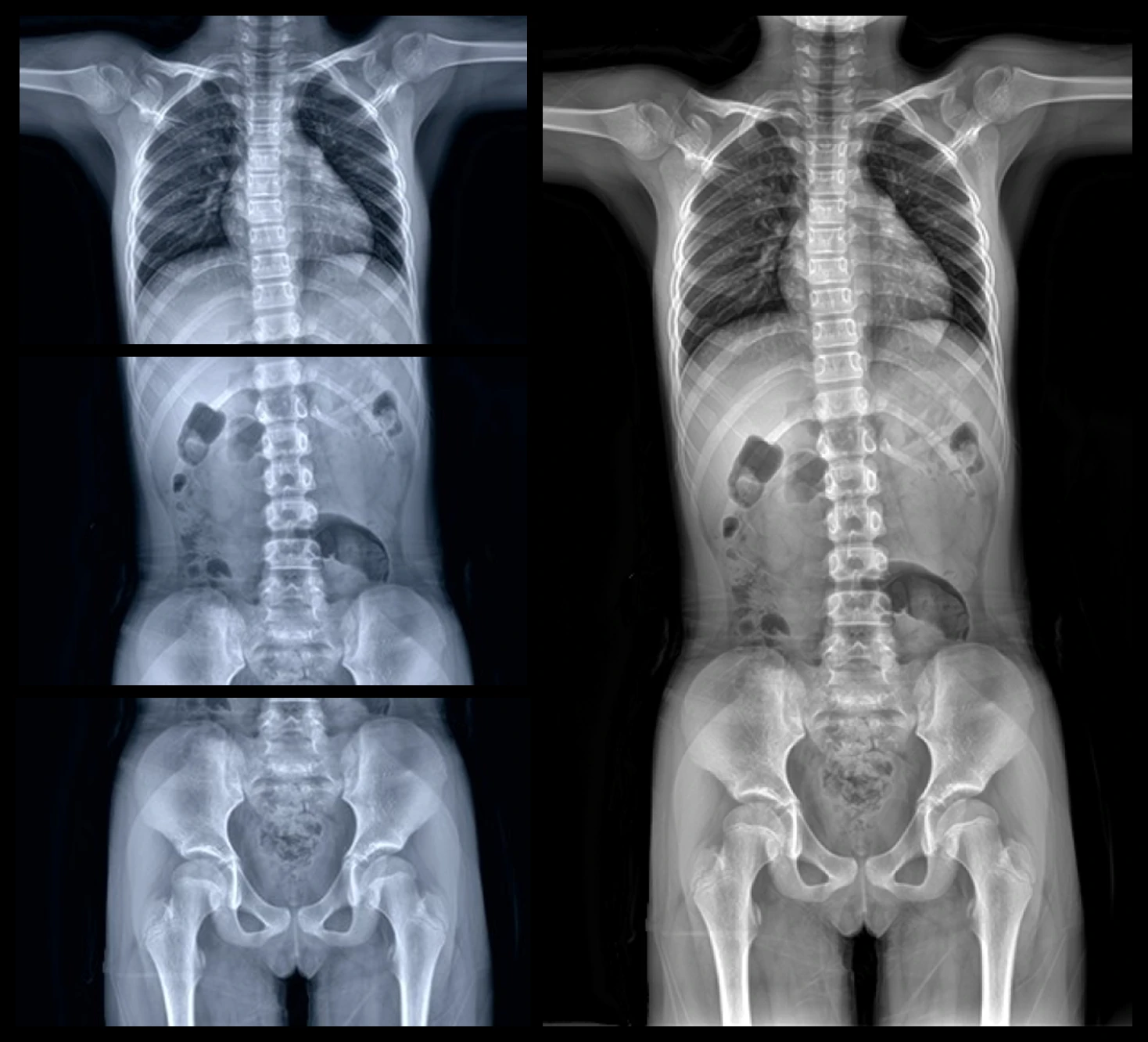
Auto stitching
Auto and manual stitching for whole body, full leg and whole spine imaging in orthopedic work.
AI bone suppression. The ClairVoyance algorithm suppresses bones on a standard X-ray using deep learning, without the extra exposure of the older dual-energy technique.
DICOM and printing
| DICOM 3.0 | Store, storage commitment, query/retrieve, RIS communication. |
|---|---|
| Worklist and procedure step | Modality Worklist (MWL) and MPPS. |
| Printing | DICOM and inkjet printing, free-layout and true-size printing, configurable for multiple printers. |
Export and sharing
| Image export | DICOM, JPEG, BMP and TIFF, with a mini DICOM viewer. |
|---|---|
| Media and email | Burn to CD, DVD or USB, built-in email, and auto-send. |
| PACS | Auto-send study to PACS, with sending-queue management. Integrated with Vpax.AI cloud PACS. |
Exam and study
| Emergency mode | One click for immediate shooting. |
|---|---|
| Technique guidance | Technique chart, auto-positioning, and exposure index tracking. |
| Registration | Integrated MWL and manual patient registration. |
| History and layout | Cross-patient history comparison and customizable layout for viewing within a study. |
| Reports | PDF report with images, study notes and patient information. |
Image tools
| Basic tools | 15 tools, including zoom, rotate, flip, invert, window level, contrast, brightness, sharpness, crop and L/R labels. |
|---|---|
| Measurement | 32 precision measurement tools, with measurement calibration. |
| Chiropractic | 15-tool chiropractic set, including spine analysis and Cobb angle. |
Hardware and system
| Detectors | Multi-vendor panel integration and simultaneous multi-detector connection, with real-time panel status (battery, temperature). |
|---|---|
| Generators | Fully integrated with CPI, DRGEM and IQflex generators. |
| Interface | Touch-enabled, keyboard shortcuts, multiple users and roles, multilingual (English, Spanish, Korean and others). |
| Data | Automated data and settings backup, storage space monitoring, and rejection and repeat analysis. |
Ask about the software.
Tell us the equipment and we confirm the acquisition software that comes with it.
Prefer to talk? Call +91 96509 00190 or WhatsApp.
See which software fits the equipment.
Tell us the equipment and we will confirm the software that comes with it.